Effects API
This is the API documentation for each of the supported Textual Effects.
- class textual_effects.blinds.Blinds(owner, num_blinds=3, seconds=1, pause=None, color='black', callback=None, pad_left=0, pad_right=0, pad_top=0, pad_bottom=0)
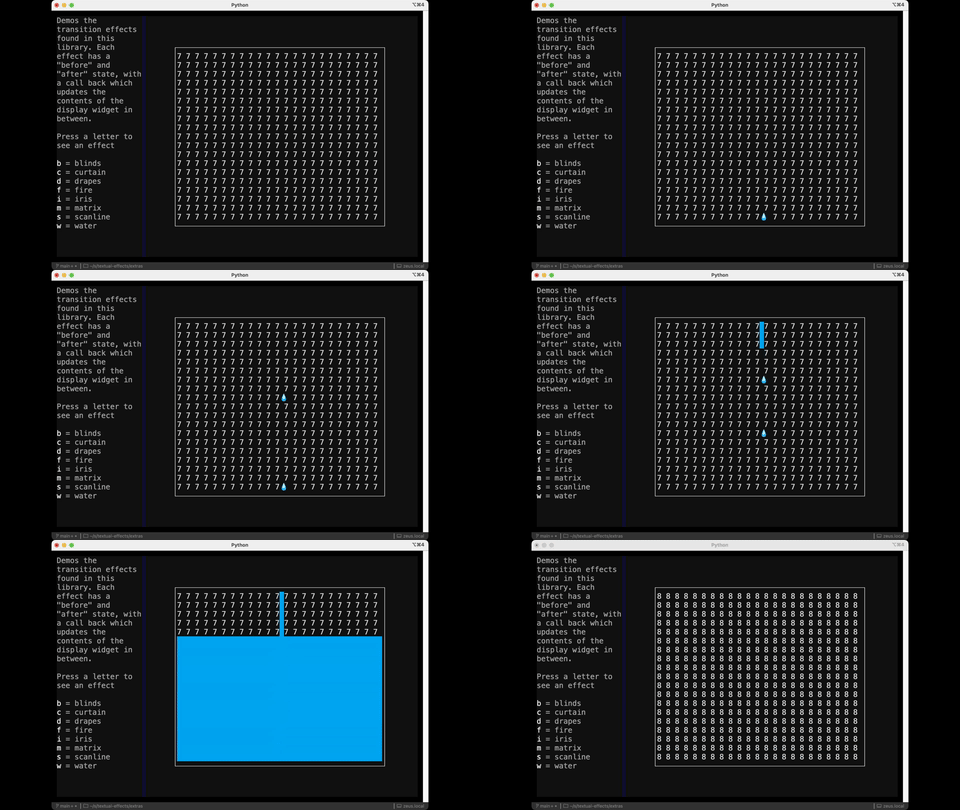
Displays num_blinds vertical blinds, closes them, calls your callback function, then opens them again.
- Parameters:
owner – Widget being overlayed, used for sizing calculations
num_blinds – Number of blinds on the screen
seconds – How long the effect should take. Defaults to 1.
pause – Delay between frames (if given, seconds is ignored)
color – Color of the blinds. Defaults to “black”
callback – Optional function to call before finishing the effect
pad_left – left padding on widget, useful if owner has a border you don’t want covered by the effect
pad_right – right padding on widget
pad_top – top padding on widget
pad_bottom – bottom padding on widget
- class textual_effects.curtain.Curtain(owner, seconds=1, pause=None, color='black', callback=None, pad_left=0, pad_right=0, pad_top=0, pad_bottom=0)
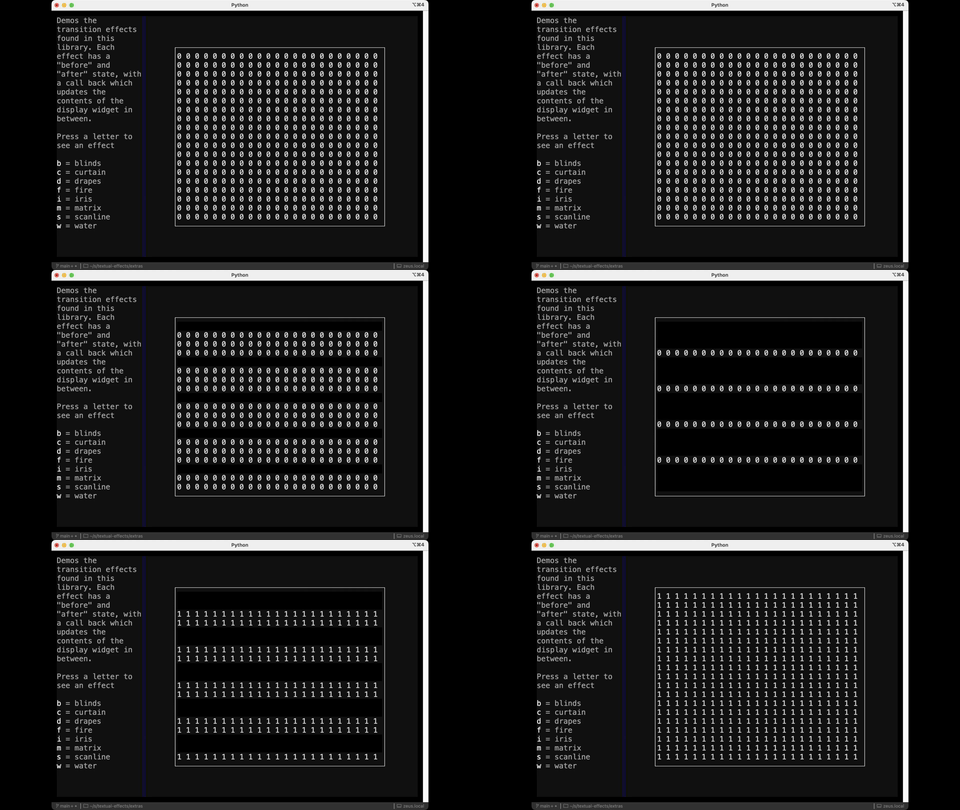
Drops a curtain from the top, calls your callback function, then raises the curtain again.
- Parameters:
owner – widget being overlayed, used for sizing calculations
seconds – How long the effect should take. Defaults to 1.
pause – Delay between frames (if given, seconds is ignored)
color – Color of the curtain. Defaults to “black”
callback – Optional function to call before finishing the effect
pad_left – left padding on widget, useful if owner has a border you don’t want covered by the effect
pad_right – right padding on widget
pad_top – top padding on widget
pad_bottom – bottom padding on widget
- class textual_effects.drapes.Drapes(owner, seconds=1, pause=None, color='black', callback=None, pad_left=0, pad_right=0, pad_top=0, pad_bottom=0)
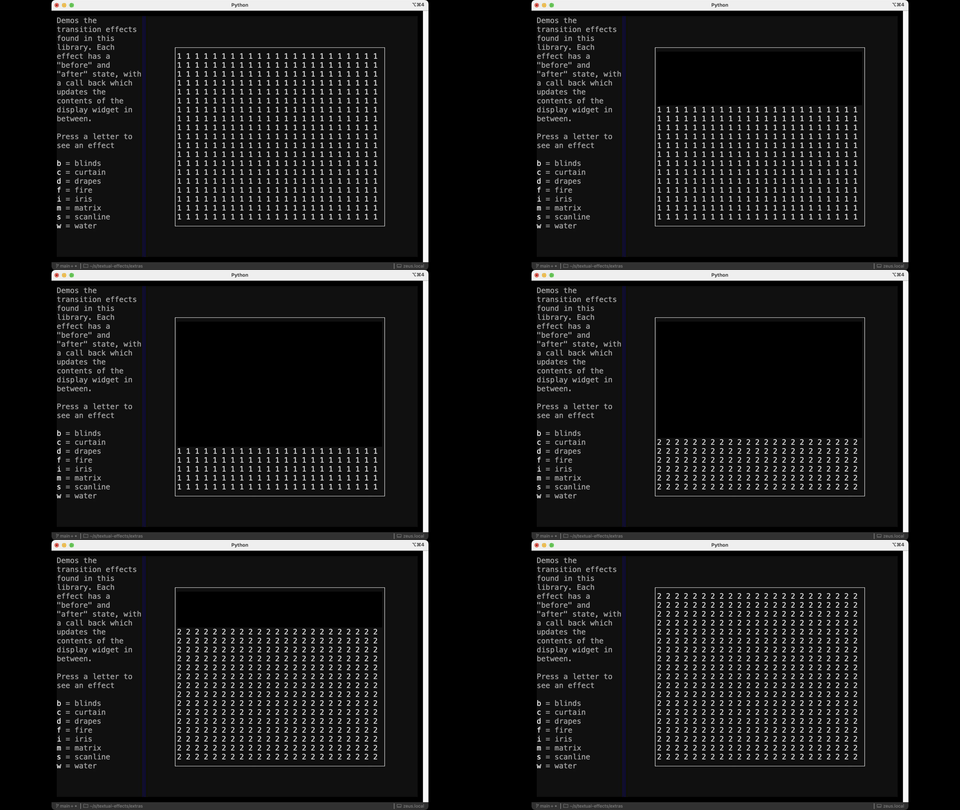
Has a left and right drape which close from the sides, calls your callback function, then opens the drapes again.
- Parameters:
owner – widget being overlayed, used for sizing calculations
seconds – How long the effect should take. Defaults to 1.
pause – Delay between frames (if given, seconds is ignored)
color – Color of the drapes. Defaults to “black”
callback – Optional function to call before finishing the effect
pad_left – left padding on widget, useful if owner has a border you don’t want covered by the effect
pad_right – right padding on widget
pad_top – top padding on widget
pad_bottom – bottom padding on widget
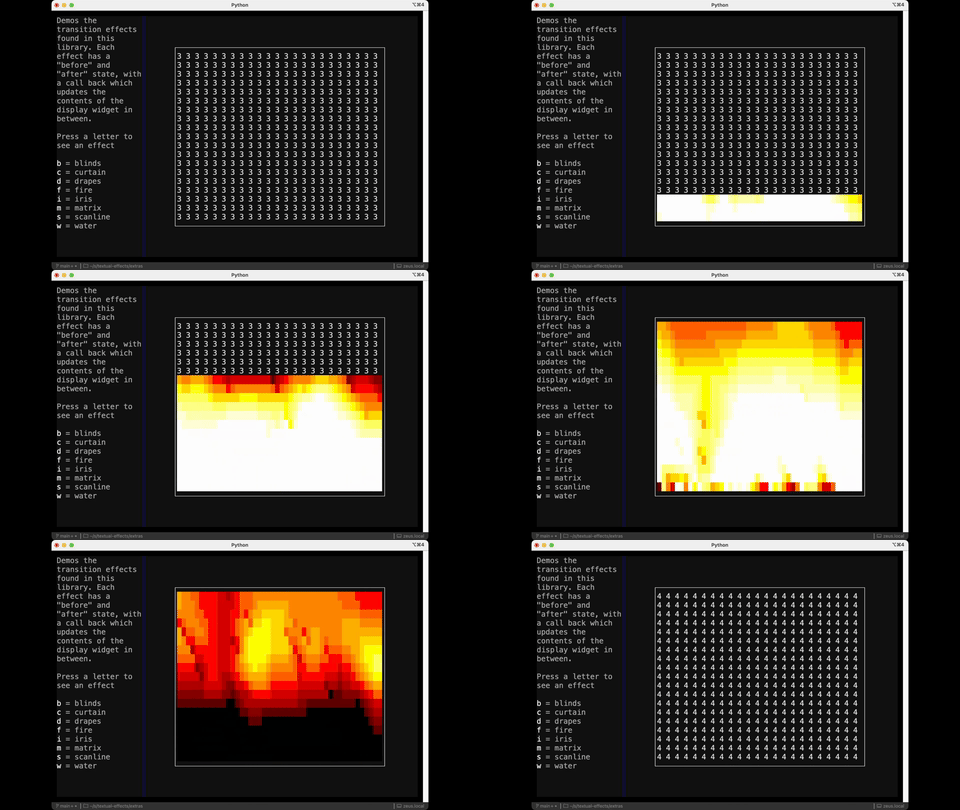
- class textual_effects.fire.Fire(owner, pause=0.05, callback=None, pad_left=0, pad_right=0, pad_top=0, pad_bottom=0, spot=60, intensity=0.8, frames_after_consumption=20, percentage_cooling_spots=0.02)
Simulates fire burning on the screen. Starts as a series of single pixel emitters which then “grow” the flame.
- Parameters:
owner – widget being overlayed, used for sizing calculations
pause – Amount of time to wait between frames, defaults to 0.05 seconds
callback – Optional function to call before finishing the effect
pad_left – left padding on widget, useful if owner has a border you don’t want covered by the effect
pad_right – right padding on widget
pad_top – top padding on widget
pad_bottom – bottom padding on widget
spot – how hot the emitter values are, effects flame growth, defaults to 60
intensity – random percentage for a new emitter, defaults to 0.80
frames_after_consumption – how long after filling the screen should the fire continue. Defaults to 20 frames
percentage_cooling_spots – percentage of pixels to cool off, allows for flow effect of the flame. Defaults to 0.02
- class textual_effects.iris.Iris(owner, seconds=1, pause=None, color='black', callback=None, pad_left=0, pad_right=0, pad_top=0, pad_bottom=0)
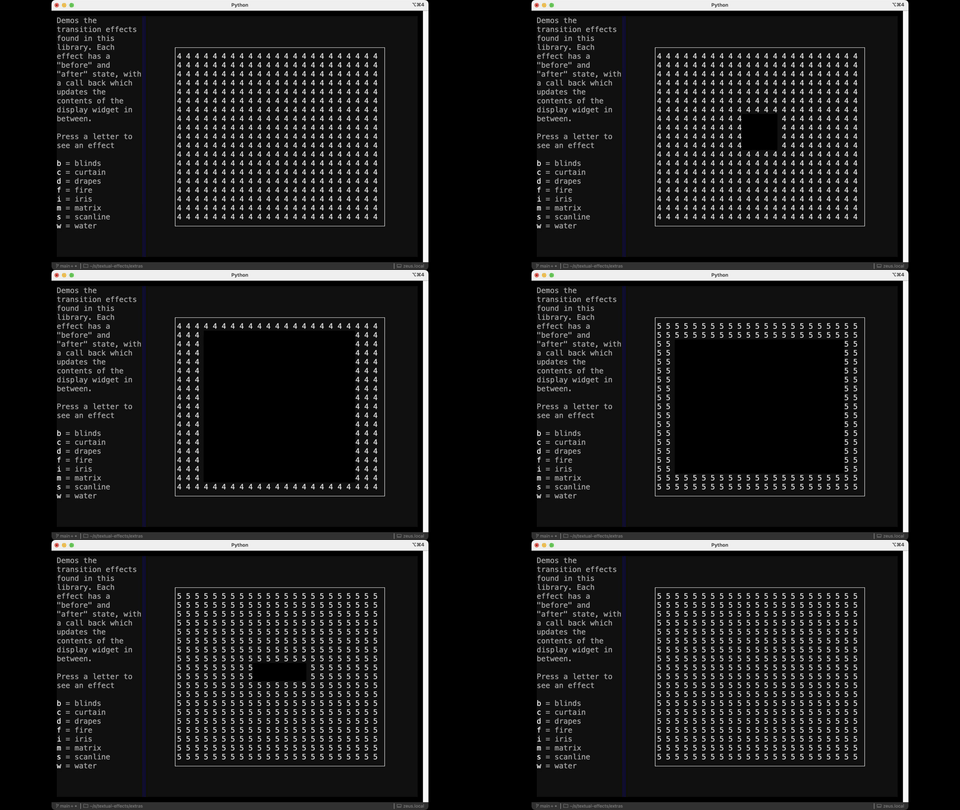
Starts with a centred block which expands out, then calls your callback function, then shrinks the block again.
Has a left and right drape which close from the sides, calls your callback function, then opens the drapes again.
- Parameters:
owner – Widget being overlayed, used for sizing calculations
seconds – How long the effect should take. Defaults to 1.
pause – Delay between frames (if given, seconds is ignored)
color – Color of the iris. Defaults to “black”
callback – Optional function to call before finishing the effect
pad_left – left padding on widget, useful if owner has a border you don’t want covered by the effect
pad_right – right padding on widget
pad_top – top padding on widget
pad_bottom – bottom padding on widget
- class textual_effects.matrix.Matrix(owner, seconds=1, pause=None, callback=None, pad_left=0, pad_right=0, pad_top=0, pad_bottom=0)
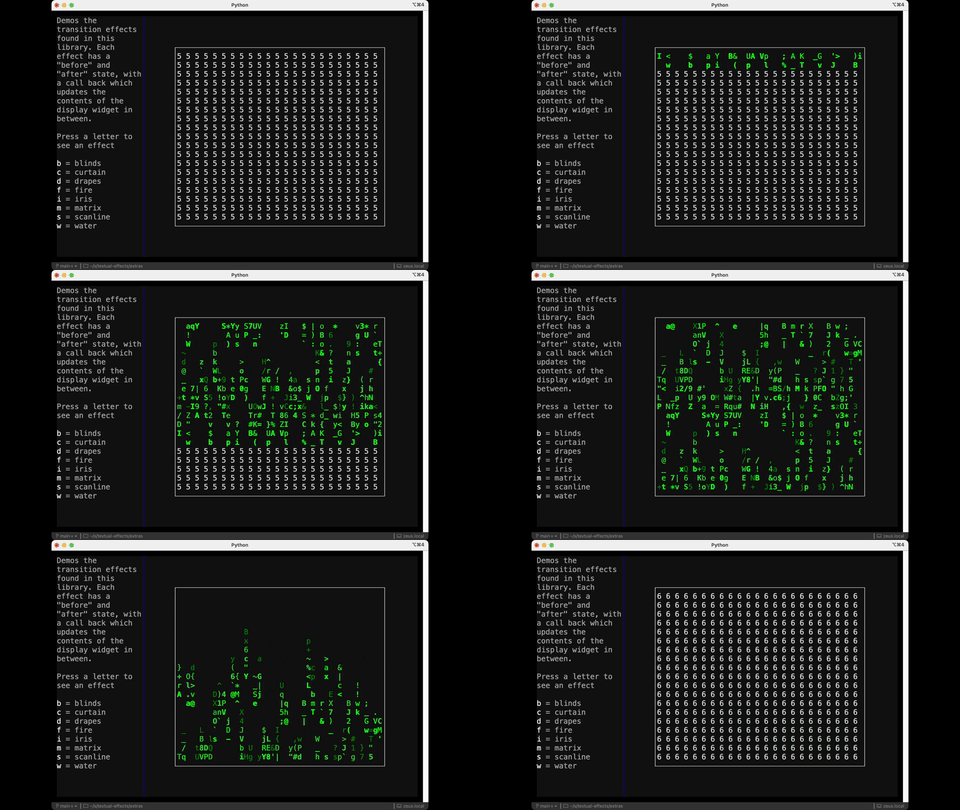
Drops Matrix style green text lines from the top to fill the screen, calls your callback function, then the effect drops off the screen.
- Parameters:
owner – widget being overlayed, used for sizing calculations
seconds – How long the effect should take. Defaults to 1.
pause – Delay between frames (if given, seconds is ignored)
callback – Optional function to call before finishing the effect
pad_left – left padding on widget, useful if owner has a border you don’t want covered by the effect
pad_right – right padding on widget
pad_top – top padding on widget
pad_bottom – bottom padding on widget
- class textual_effects.scanline.Scanline(owner, thickness=1, cursor_color='green', fill_color='black', seconds=1, pause=None, callback=None, pad_left=0, pad_right=0, pad_top=0, pad_bottom=0)
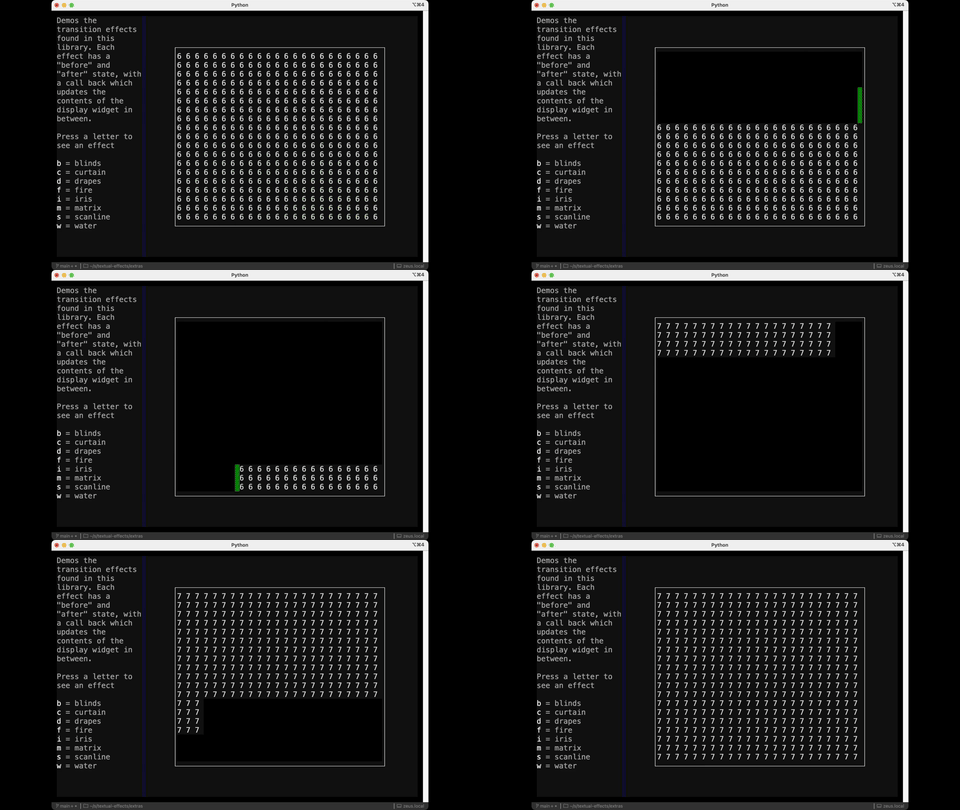
Draws a line from left to right until it hits the edge, then moves down a line and starts again. Once the screen is filled the callback function gets called, then the effect empties from top to bottom.
- Parameters:
owner – Widget being overlayed, used for sizing calculations
thickness – Thickness of the line
cursor_color – Color of the lead cursor that moves along. Defaults to “green”
fill_color – Color of the fill line. Defaults to “black”
seconds – How long the effect should take. Defaults to 1.
pause – Delay between frames (if given, seconds is ignored)
callback – Optional function to call before finishing the effect
pad_left – left padding on widget, useful if owner has a border you don’t want covered by the effect
pad_right – right padding on widget
pad_top – top padding on widget
pad_bottom – bottom padding on widget
- class textual_effects.water.Water(owner, drip_time=2, flood_time=1, color='#00A5F4', drop_char='💧', drop_sets=3, callback=None, pad_left=0, pad_right=0, pad_top=0, pad_bottom=0)
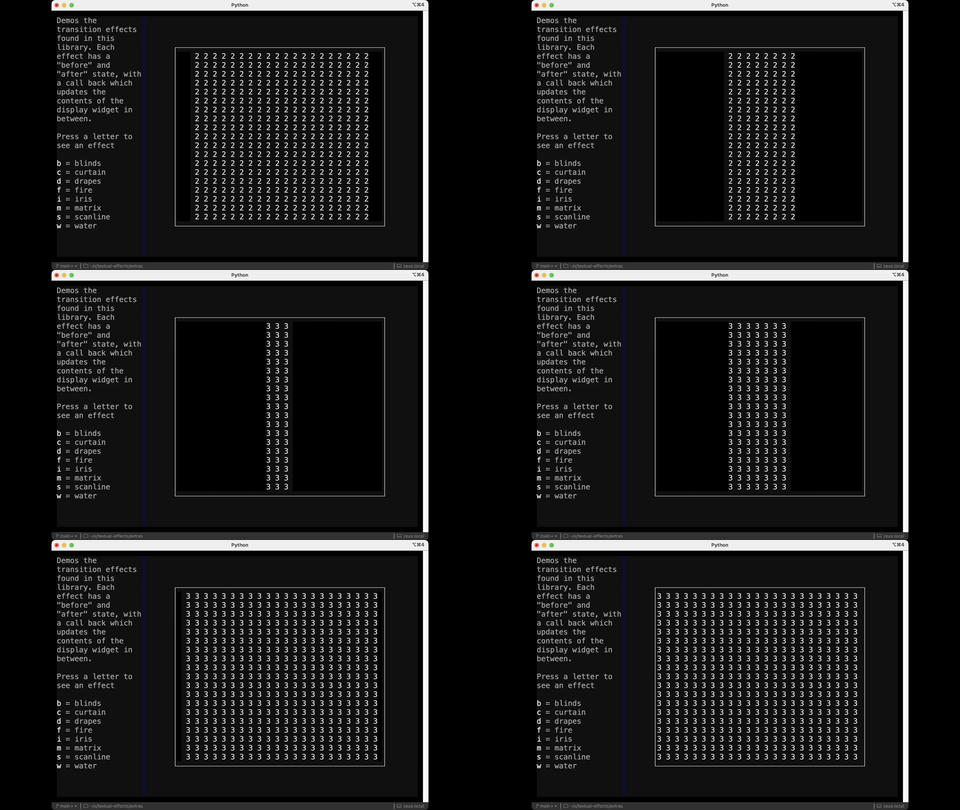
Starts with a series of drops of water, then turns into a flow from the top center of the effect, water then fills up from the bottom. Once the area is flooded, your callback function is called, then the area drains.
- Parameters:
owner – Widget being overlayed, used for sizing calculations
drip_time – How long the dripping phase of the effect should take, this includes the tap flow that follows the drip. Defaults to 2 seconds.
flood_time – How long the flood and drain portion of the effect should take. Defaults to 1 second.
color – Color of the curtain. Defaults to “#00A5F4”, which is the colour of the bottom of the default drop character on a macOS
drop_char – Character to use as the drop image. Defaults to the drop emoji, (U+1F4A7). Note that the background color of the drop is set to None so a space won’t show up, use a block instead.
drop_sets – Before the screen starts to flood a series of increasing drops is shown (1, 2, 3…) as sets. This number determines how many sets to show before starting the fill. Defaults to 3 sets.
callback – Optional function to call before finishing the effect
pad_left – left padding on widget, useful if owner has a border you don’t want covered by the effect
pad_right – right padding on widget
pad_top – top padding on widget
pad_bottom – bottom padding on widget